
The 'CData <Edition> Driver for <Data Source> <Year>.pkg can't be opened because Apple cannot check it for malicious software.' error is thrown by Apple, due to their Gatekeeper security feature, and typically indicates that the machine's security settings restrict it from opening packages other than those downloaded from the App Store.
To resolve the problem, you simply need to select Allow apps downloaded from: 'App Store and identified developers' option in the System Preferences -> Security & Privacy -> General section as below:
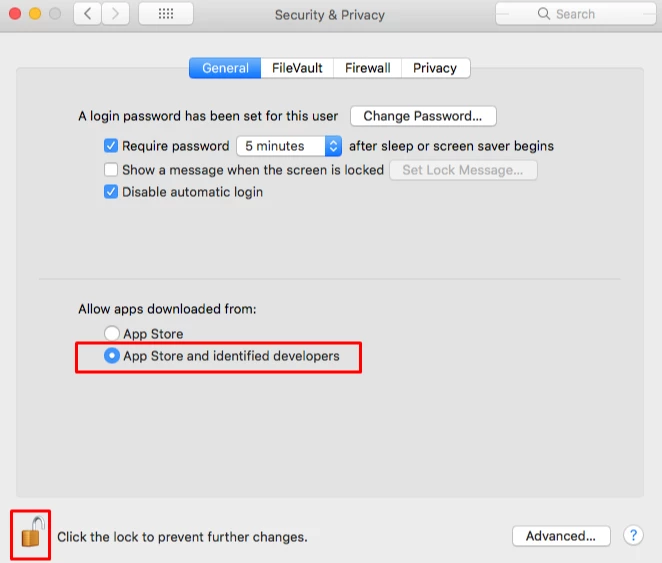
You will also need to click the small lock icon to save the settings going forward.
Note: For macOS Ventura, System Preferences is now renamed as System Settings. The same actions are applied in that case too.
