The optimal way for executing a Stored Procedure in an SSIS project is to utilize the “CData {Provider} Task”.
Begin by setting the Connection property to the name of your configured connection manager, and then choose the Stored Procedure you wish to execute.
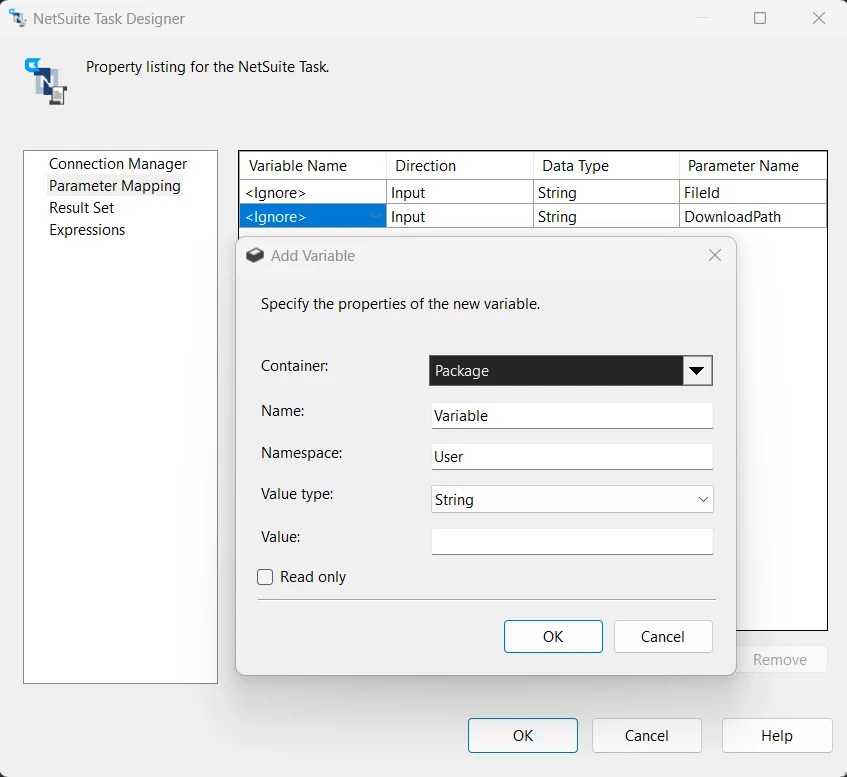
Next, proceed to the Parameter Mapping section, which displays a collection of available parameters for the selected Stored Procedure. To set a value for a specific parameter, click on the Variable Name and select "<New Variable>". In the ensuing pop-up window, provide the desired Value for that parameter.