
When publishing a Workbook on Tableau Server, the necessity to configure User and Password properties may arise.
In case when using the cdata.excel.legacy.taco file in the "C:\ProgramData\Tableau\Tableau Server\data\tabsvc\vizqlserver\Connectors" directory, the following window will appear in the Tableau Server interface:
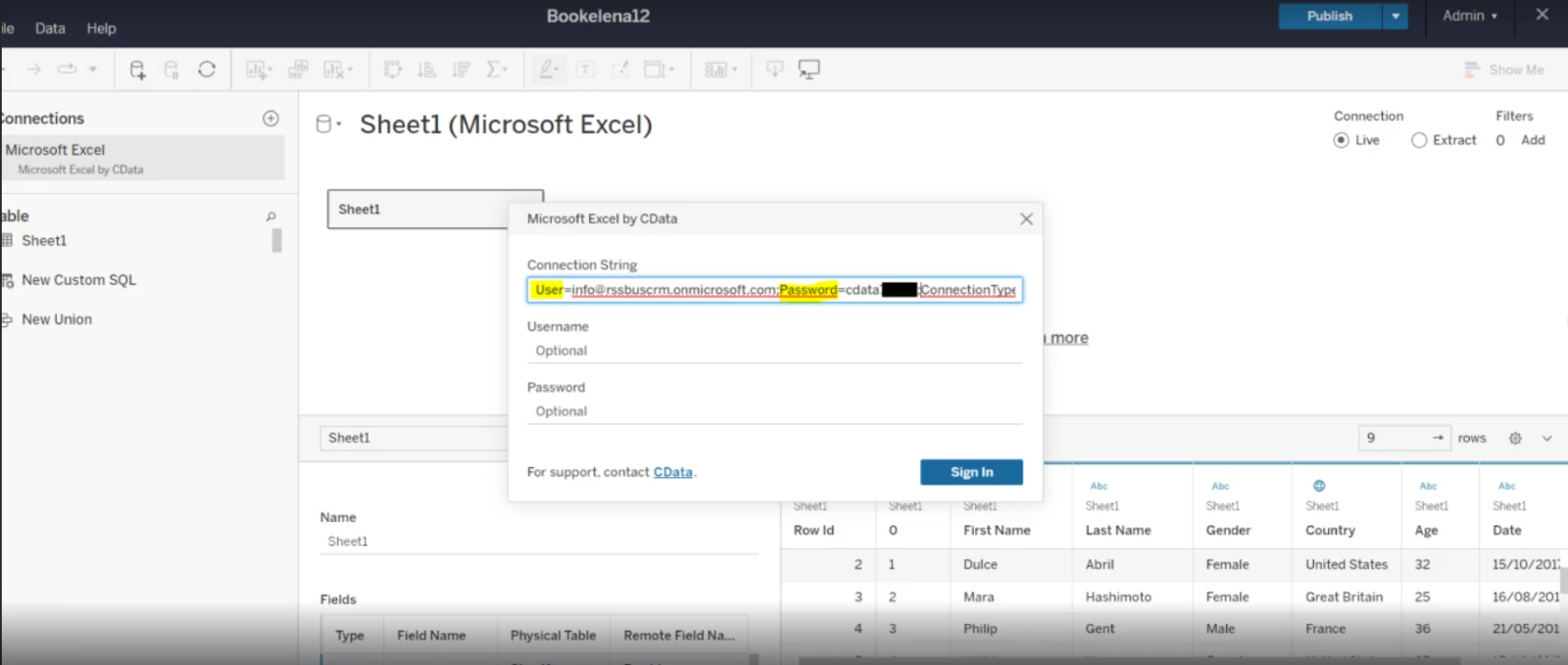
The User and Password properties need to be configured for successful data retrieval. However, even when these values are set in their respective fields (Username and Password), the driver fails to return the data.
To ensure proper functionality, these properties must be set in the Connection String field. However, this approach introduces a security concern, as the Password remains unmasked. This means that any user with access to the published Workbook can potentially view the exposed Password.
To address this issue, you should take the following steps:
-
Remove the "legacy.taco" file from the directory located at "C:\ProgramData\Tableau\Tableau Server\data\tabsvc\vizqlserver\Connectors."
-
After removing the file, proceed to restart the Tableau Server.
The below window appeared which required setting all values and the password is encrypted:
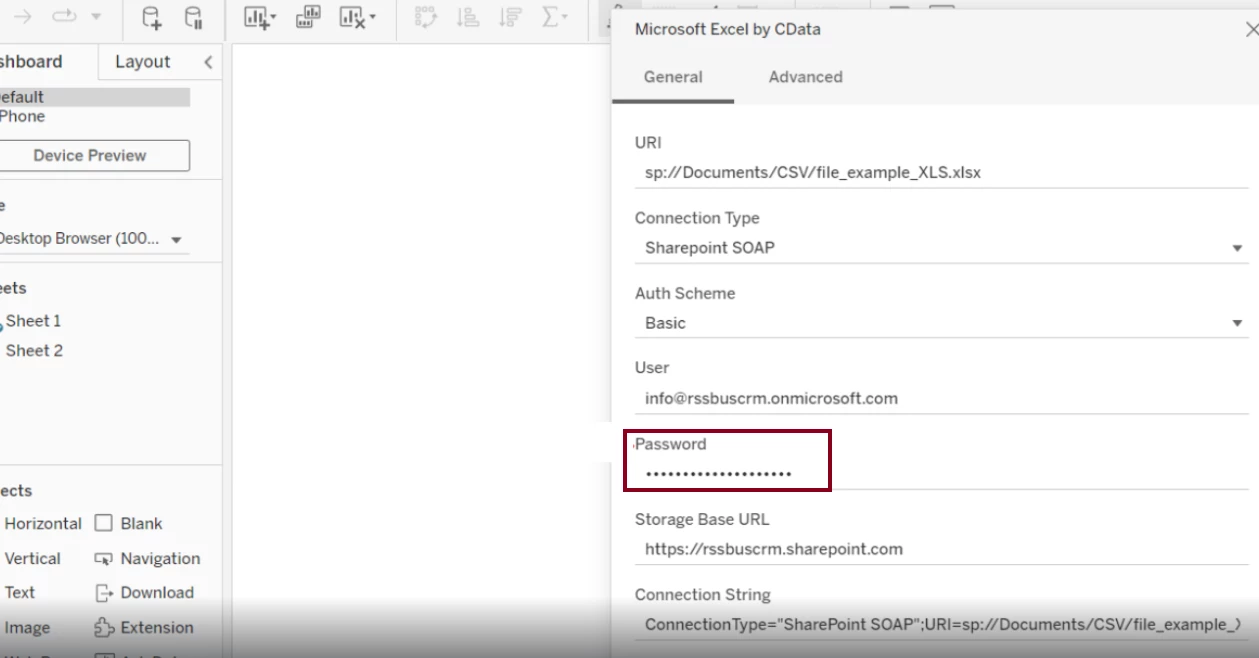
By implementing this security measure, you can ensure the confidentiality of your sensitive information while maintaining the functionality of your Tableau Workbook.
