I am setting up a new trading partner to send EDI X12 850 and they keep coming back to me saying “we received your file but it is not processed with octet-stream. Please send as EDI-X12”.
My X12 connector is setup and working just like the dozens of other trading partners.
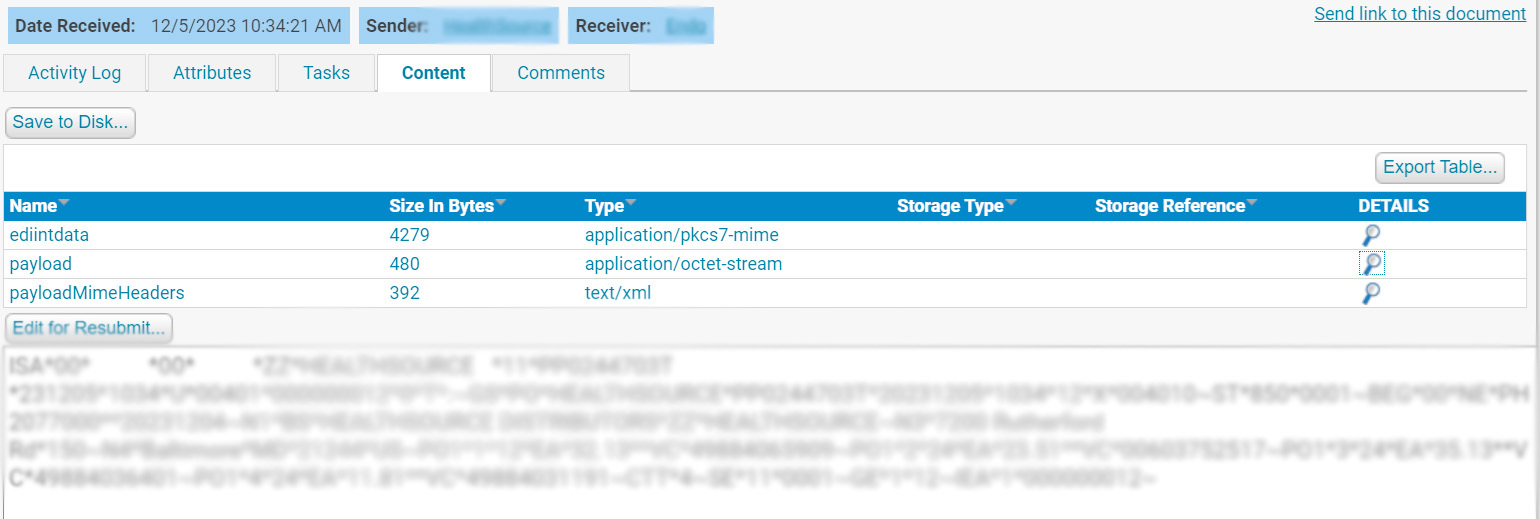
This is a screen shot of what they are sending me:
I checked the Advanced settings on my X12 connector and didn’t see where the application/octet-stream is being set. I tried adding payload=application/edi-x12 on my AS2 Extension map to no avail.
Any ideas would be appreciated.
Hi @ericbux
You are definitely looking at the right place, i.e. the Extension Map field in the Advanced Settings of the AS2 connector.
Extension Maps are a set of name-value pairs that maps file extensions to the desired HTTP Content-Type header value. By default, the application will map the following file extensions to content types:
- .xml → application/xml
- .edi or .x12 → application/edi-x12
- .edifact → application/edifact.
All other file extensions are sent with an application/octet-stream content type.
To add or overwrite mappings, this setting should be a comma-delimited list in extension=contenttype syntax (e.g. .txt=text/plain,.edi=application/edifact).
Can you try defining this in the Extension Maps and see if it helps?
.x12=application/octet-stream
I do rename my files on the XML Map to correspond to the EDI document type I am sending (in this case my file extension is .850). I added .850=application/edi-x12 to my AS2 Extension Map. Hopefully this will solve the issue.
Thanks!