

Solved

Error when trying to open editor in Visual Studio SSIS

  • May 22, 2023
  • 1 reply
  • 618 views

Forum|alt.badge.img

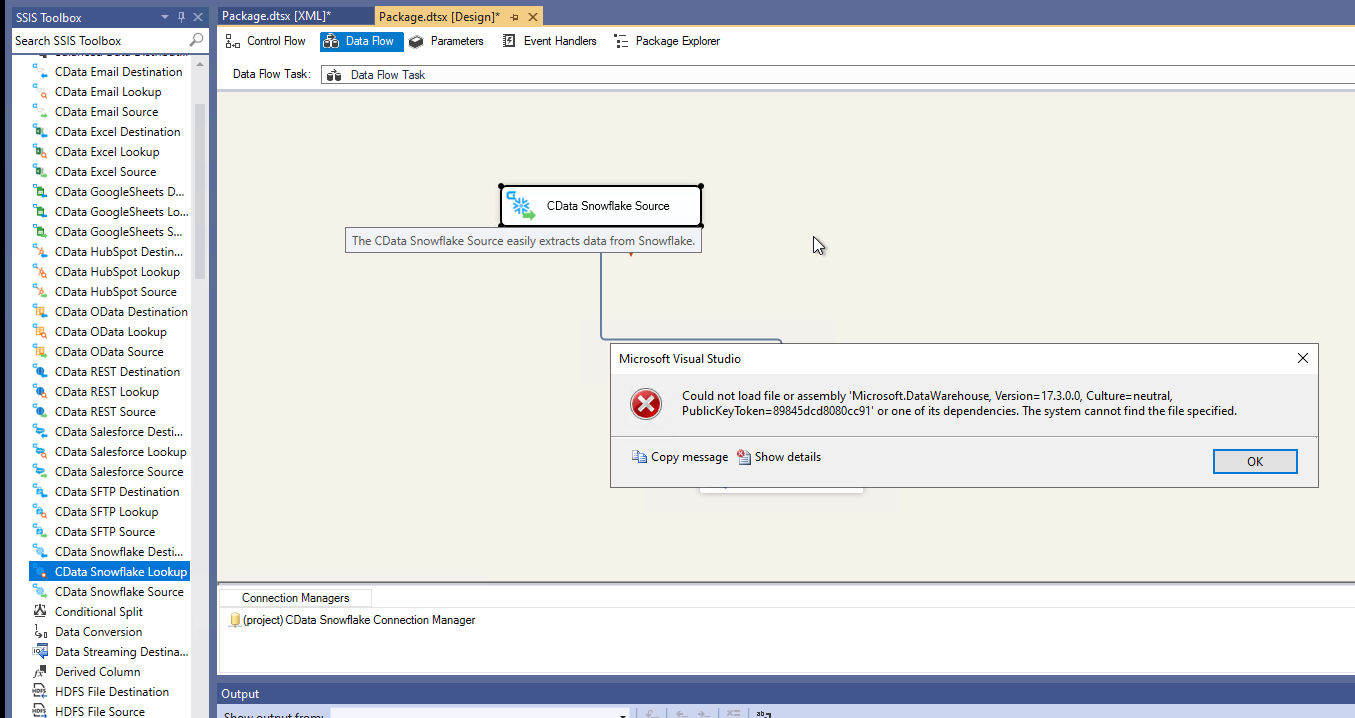
When double clicking on the CData source, I am getting the following error. 


“Could not load file or assembly 'Microsoft.DataWarehouse, Version=17.3.0.0, Culture=neutral, PublicKeyToken=89845dcd8080cc91' or one of its dependencies. The system cannot find the file specified.”

 

Best answer by Elizabeth G

Thank you for reaching out. It appears that this issue is caused by a bug in the SSIS components that has recently been fixed. Please find the latest build of the SSIS components below, which should fix this issue.

https://cdatabuilds.s3.amazonaws.com/support/OWSHA_8543.exe

Alternatively, you can instead right click your solution and select Properties. In the General section, please set TargetServerVersion to SQL Server 2019.

View original
This topic has been closed for replies.

1 reply

Forum|alt.badge.img

Thank you for reaching out. It appears that this issue is caused by a bug in the SSIS components that has recently been fixed. Please find the latest build of the SSIS components below, which should fix this issue.

https://cdatabuilds.s3.amazonaws.com/support/OWSHA_8543.exe

Alternatively, you can instead right click your solution and select Properties. In the General section, please set TargetServerVersion to SQL Server 2019.