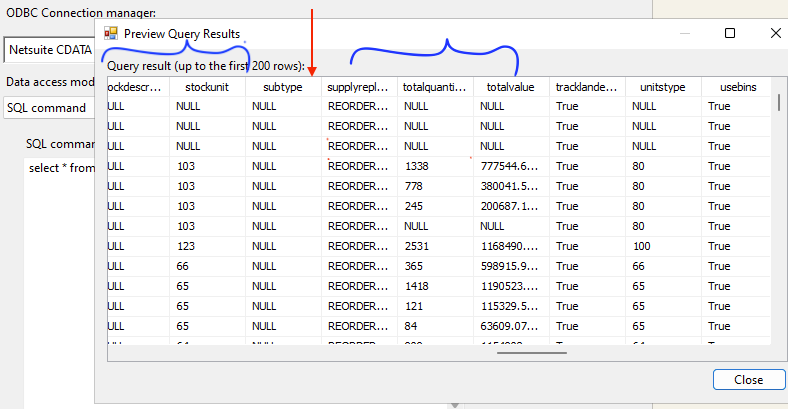
Hi, I am trying to use the NETSUITE ODBC driver within Visual Studio SSIS project, everything connects good but when selecting some tables, I noticed that there are some missing fields in the table, for example in the table item, the field subsidiary is missing:
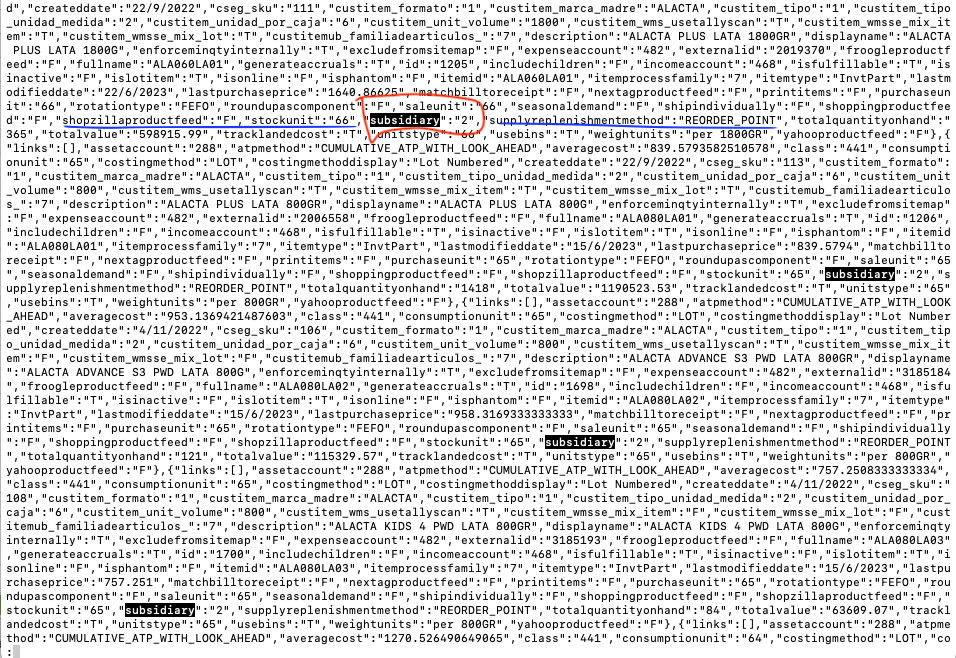
But in the log file, the json has it:
Should I need to set something else in the configuration?
How can I solve this?
Thanks.
Best answer by Elizabeth G
@luisjacobo Thank you for reaching out. As this issue appears to be more technical, could you please reach out to [email protected] to create a support case, so we can review the logging?
When testing this on my end, I was able to reproduce this behavior with SuiteQL’s item table. However, it does not appear that Subsidiary is showing up in the HTTP response, so it would be helpful to have a logfile to investigate why this is occurring.
@luisjacobo Thank you for reaching out. As this issue appears to be more technical, could you please reach out to [email protected] to create a support case, so we can review the logging?
When testing this on my end, I was able to reproduce this behavior with SuiteQL’s item table. However, it does not appear that Subsidiary is showing up in the HTTP response, so it would be helpful to have a logfile to investigate why this is occurring.