

I created a custom report that we’re using as a source in a Power BI semantic model. The intent is that our financial controller developed the Saved Search in Netsuite to grab the transactions desired. With that as a data source, we should be able to reconcile pretty quickly and shouldn’t see variances between the Saved Search results in Netsuite and the data pulled in Connect AI - however that’s not the case.
Initially this data exclusion seemed to be limited to Credit Card transactions - a relatively small number, around 3000 rows. I created a work-around to get the transactions into our data model, but i’m encountering the issue again with transactions that seem to be standard Journal Entries.
My initial through was perhaps this was a permissions issue and maybe the access token created uses a restricted account - when i set it up it was the first time, i didn’t really know what i was doing, etc… SO i created a new token using the Netsuite account I use to run the saved search (Accountant Reviewer role) & placed this in the properties for the Suitetalk connection.
After doing this, i hoped that it would resolve my issue, but it did not. I continue to see different result sets between the Saved Search results in netsuite and the same saved search results in Connect AI. Here’s the results from the Saved Search in our Production environment:
36990 Rows, and the Journal entries that are being excluded ARE included in this dataset.
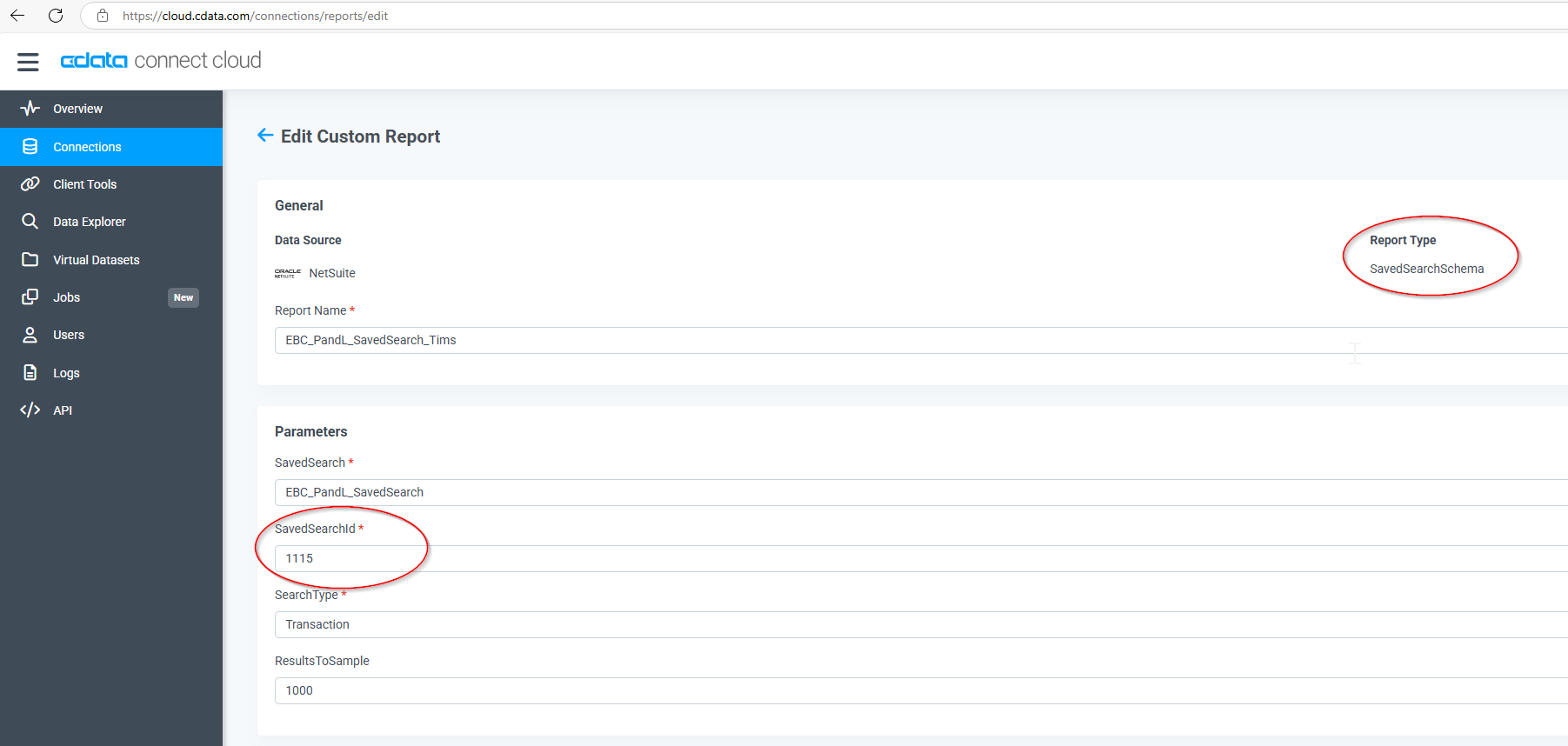
Saved Search ID is 1115

In Connect AI, here’s the connection information:
But when i do a rowcount with this query, i get this:
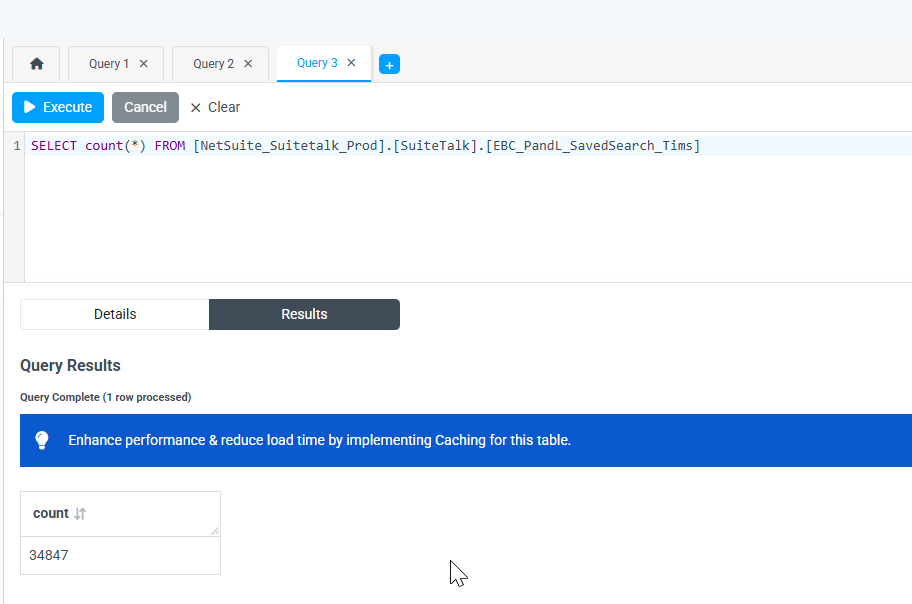
34847 Rows
Any ideas? What can i look at or change to get a full rowcount and have the data match? This is a HUGE inconvenience and is causing some MAJOR issues from a data credibility standpoint.
