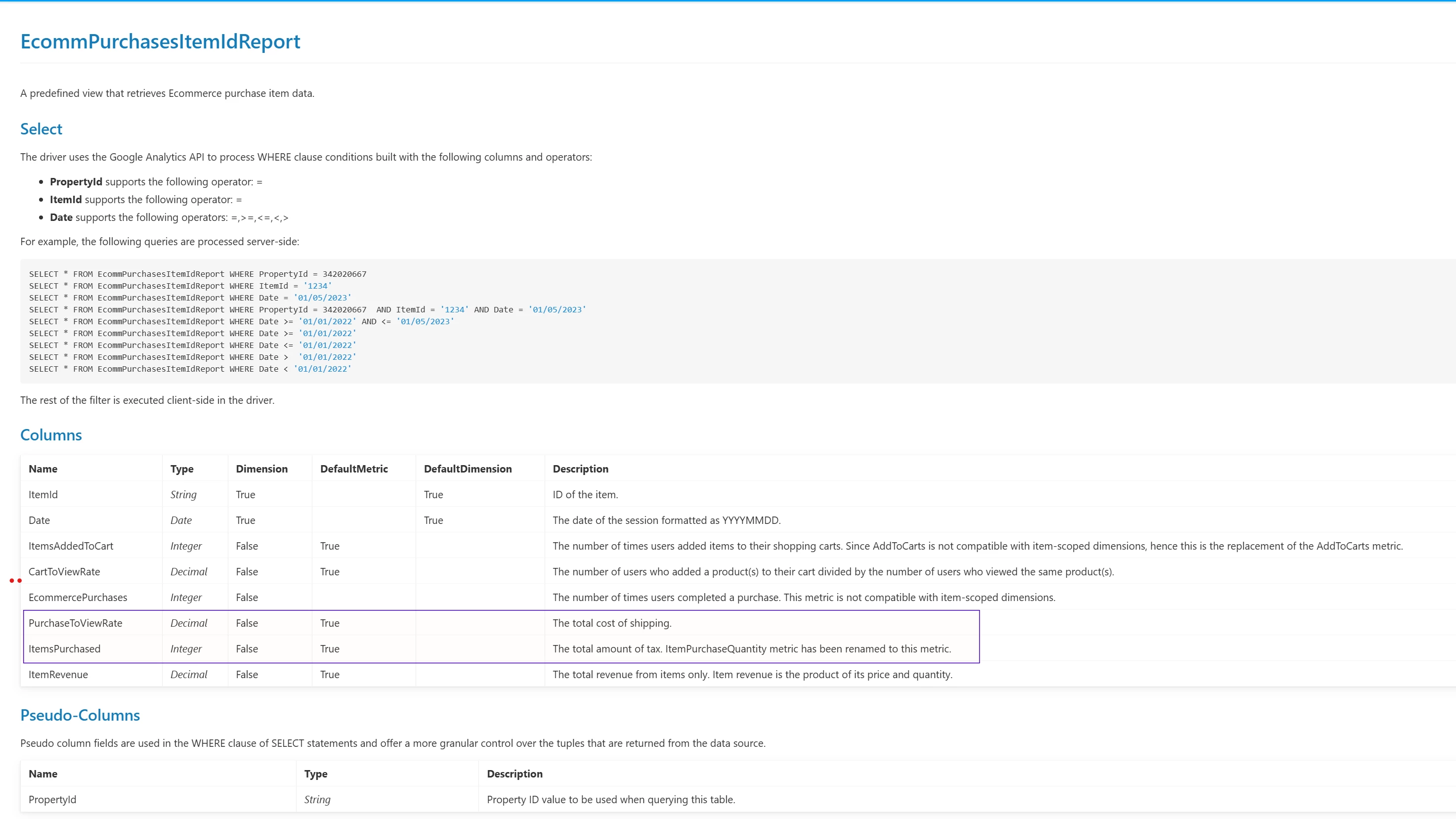
Hi @Nelson_christof ,
Have you tried looking at the CreateCustomSchema Stored procedure? The stored procedure should allow you to set your dimensions and metrics of choice and create a view based on them. That said, querying this newly created view should give you a new report with the results you are looking for.
To run a stored procedure, you can follow the syntax here: https://cdn.cdata.com/help/DAM/jdbc/pg_GoogleAnalytics4sp-createcustomschema.htm and specify the right input parameters to create your own custom schema for GA4 queries.
You can learn more about the dimensions and metrics in the GA4 API docs:
https://developers.google.com/analytics/devguides/reporting/data/v1/api-schema
To understand the correct combinations of dimensions and metrics, you can play around with the GA Dimensions and Metrics Explorer: https://ga-dev-tools.google/ga4/
For your convenience, I am providing an example below:
EXECUTE CreateCustomSchema @TableName='CustomEcommReport', @Dimensions='date,transactionid,streamid,streamname', @Metrics='refundAmount,taxAmount,shippingAmount,totalRevenue,transactions,keyEvents';
Regarding the incorrect description of the PurchaseToViewRate and ItemPurchased columns in the documentation, we have raised this with the documentation team. Thank you for reporting this!
Should you have any issues or any other questions, please reach out to [email protected] with your inquiry.