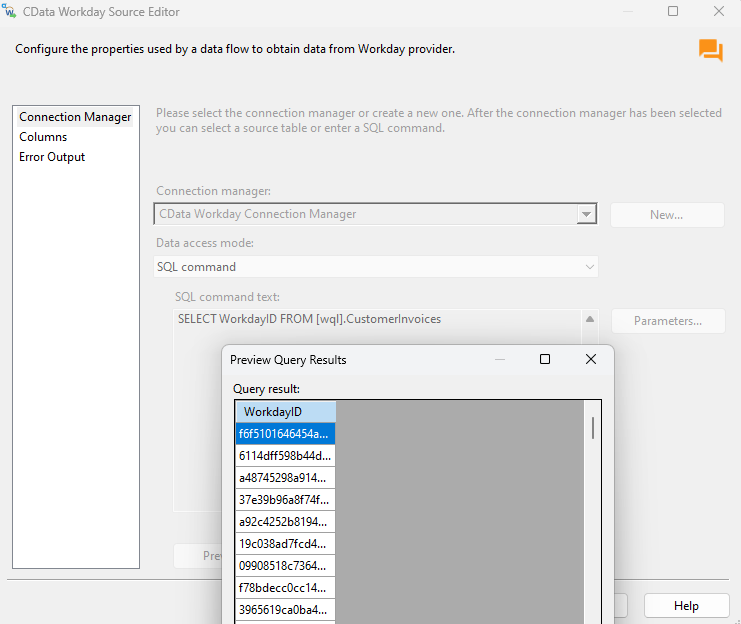
Hi Ethem,
i am unable to the data in customerinvoices object. any filters do we need to appliy kindly help me.
i have attached the error images please check..
Thanks,
Chari

Hi Ethem,
i am unable to the data in customerinvoices object. any filters do we need to appliy kindly help me.
i have attached the error images please check..
Thanks,
Chari
Best answer by Ethem Q
Hi
A verbosity 3 logfile would be a file that contains logging activity captured when you are working in SSIS with the Workday Components. Basically the Workday Components will be capturing the communication between the components and the Workday Server and log all important information that could be crucial to troubleshoot issues. The Verbosity is the level of detail that will be captured during logging and generally a Verbosity=3 log is all we need to investigate similar issues. You can read more about Logging here:
Understanding CData Log Files - Drivers
In your case, to enable logging simply open the Connection Manager and on the Advanced tab go under Logging and set the Verbosity connection property to 3 and the Logfile property to a local path in your machine where the log will be generated (ex Logfile=C:/Users/User/Documents/CDataLogs) when you run the package. You need to make sure to save the connection once logging is enabled. After that, kindly reproduce the problem and reach out to the support team with the resulting logfile.

Enter your E-mail address. We'll send you an e-mail with instructions to reset your password.