


The CData SAP ERP driver uses the sapjco3.jar dependency, which must be referenced in the classpath. This JAR, in turn, depends on sapjco3.dll, whose path must be added to the PATH system environment variable.
When using the SAP ERP driver from Jaspersoft Studio, you may encounter an issue where the driver works for the first connection but fails on subsequent attempts. Depending on where the operation is executed, you may see the following error:
Error getting the version of the native layer: java.lang.UnsatisfiedLinkError: Native Library C:<path-to-library>\sapjco3.dll already loaded in another classloader
This happens because Jaspersoft Studio closes the driver after completing an operation and later tries to reopen it. When the driver is reloaded, it attempts to use sapjco3, which in turn tries to load its sapjco3.dll dependency again. However, since sapjco3.dll is already loaded in the Jaspersoft Studio JVM, it cannot be loaded a second time resulting in the error mentioned above.
To mitigate this issue, instead of adding sapjco3.jar to the classpath of the individual data adapter, you can configure it globally within Jaspersoft Studio. This ensures that sapjco3.dll is loaded only once.
Steps to Configure
-
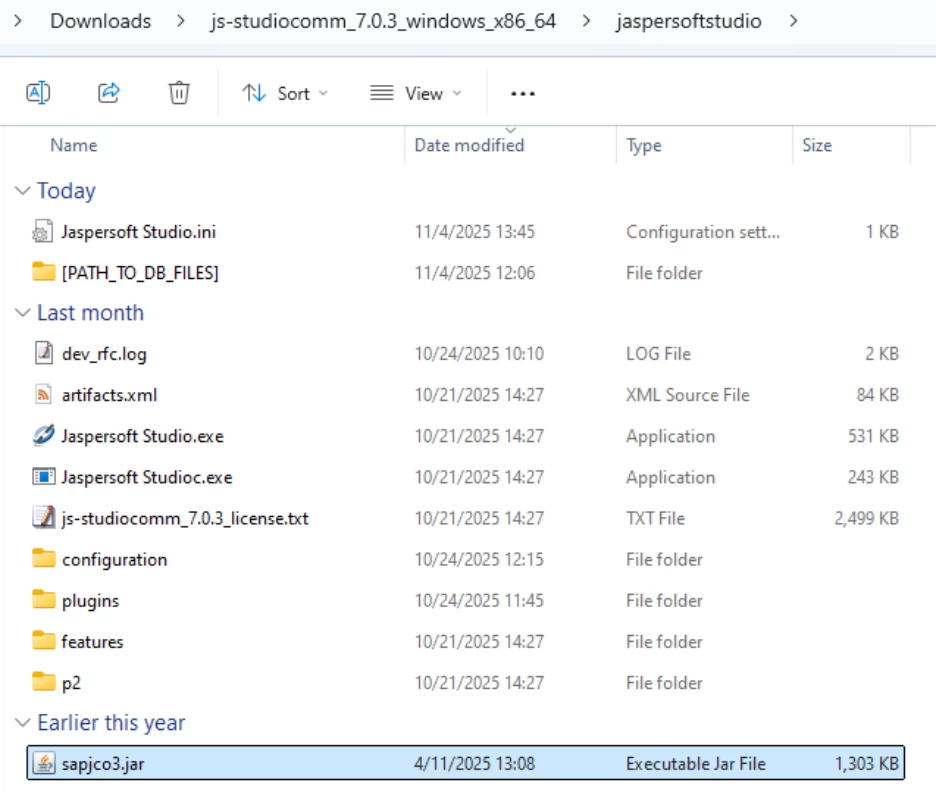
Place sapjco3.jar in the Jaspersoft Studio directory, as shown below:
-
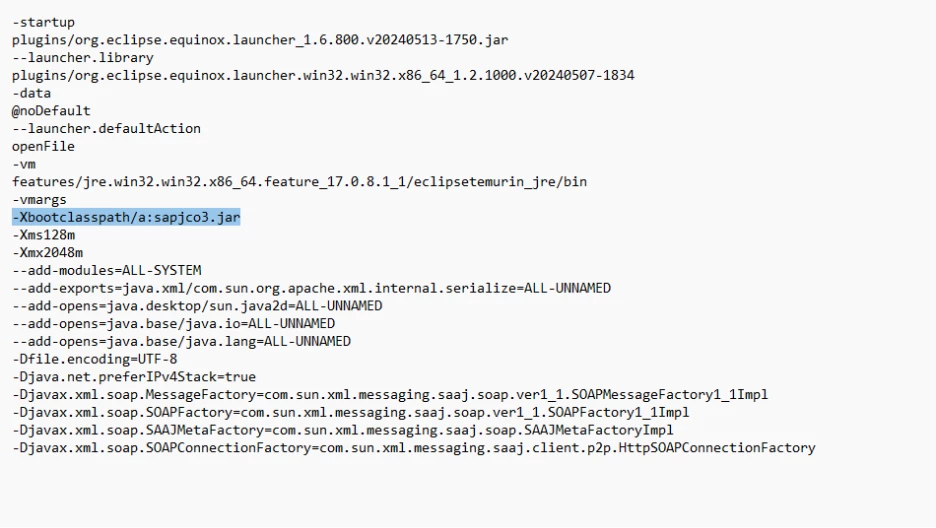
Edit the Jaspersoft Studio.ini file:
Add the following switch after the -vmargs tag:
-Xbootclasspath/a:sapjco3.jar
Save the file after making this change.
-
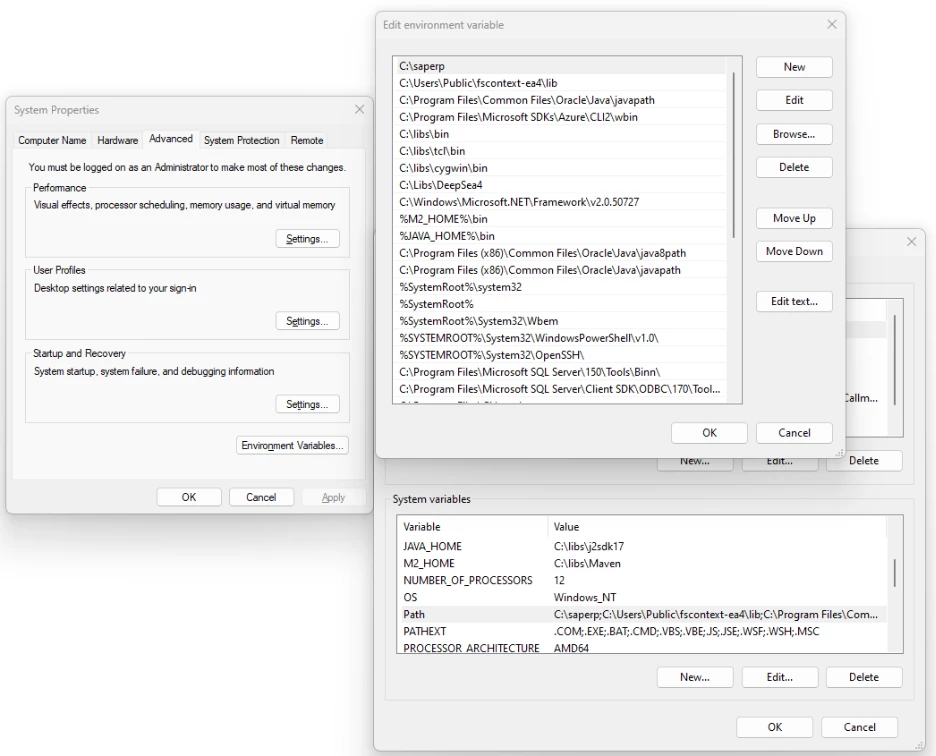
Add the path of the directory containing sapjco3.dll to the PATH system environment variable.
-
Start Jaspersoft Studio and, when creating a Data Adapter, reference only the cdata.jdbc.saperp.jar file.
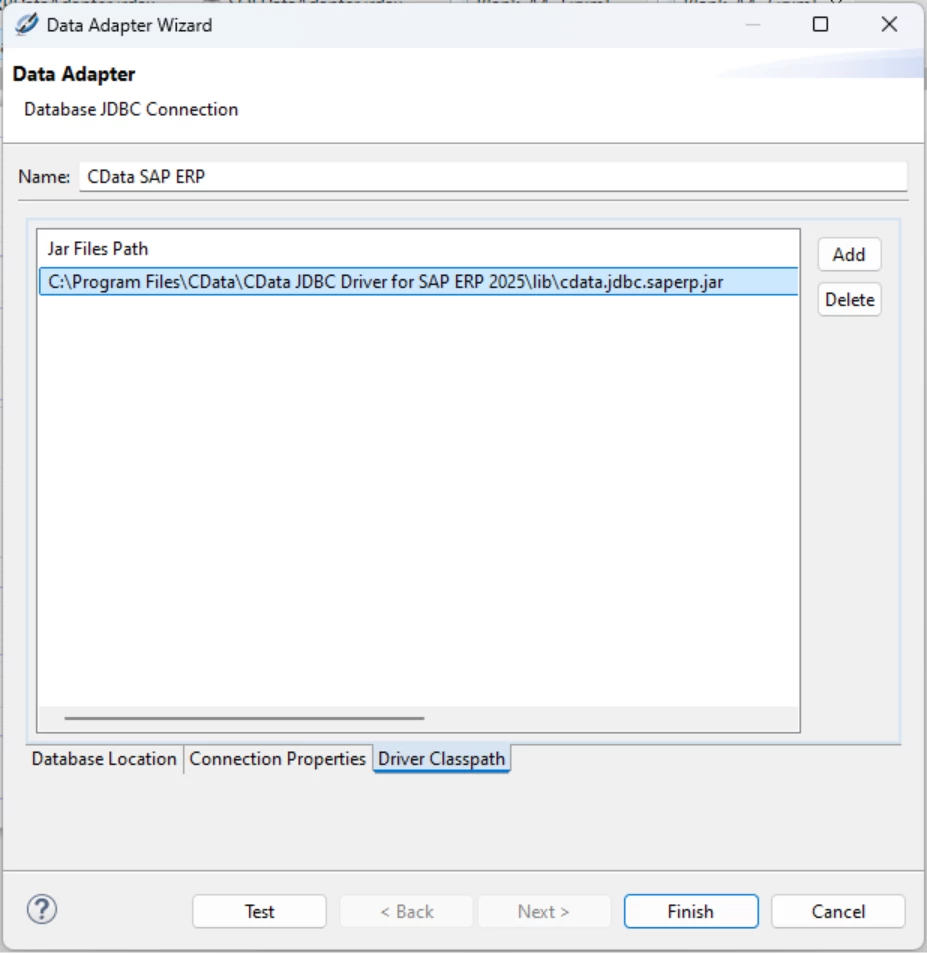
After completing these steps, you can successfully use the Data Adapter when creating reports in Jaspersoft Studio without encountering the “already loaded in another classloader” error.
If the issue persists, please contact [email protected].
