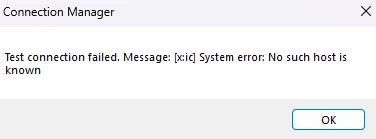
The error "No such host is known" would typically indicate that there is an issue with your SSIS package being unable to resolve the hostname in the CData connection string for the value set in OrganizationURL at the point the connection is being attempted during debug execution.
This could happen for various reasons in SSIS. A few things to consider in your troubleshooting are the following:
1) 32-bit vs. 64-bit execution mismatch during debugging
Visual Studio's SSIS debugger runs packages in 32-bit mode by default, even on a 64-bit machine. The 32-bit runtime may have different network stack behavior, proxy settings, or firewall rules than the 64-bit environment where the connection was originally configured. To check this, right-click your SSIS project in Solution Explorer -> Properties -> Debugging and set "Run64BitRuntime" to True, then re-run.
2) Proxy or network path not available in the debug execution context
If your network requires a proxy to reach the external API endpoint, that proxy must be configured for the account and process running the debug session. To verify, open a browser under the same Windows session and try to navigate to the API host directly. If that also fails, a proxy or firewall rule is blocking acces.
If the above do not help you will most likely need to submit a support ticket here https://portal.cdata.com/?a=support so that one of our support specialists can take a deeper look. They might ask you to provide the version of the SSIS Components for Dataverse you are using along with logfiles captured when the issue occurs so be ready do capture those and send them over as well.