

Why: Different versions of the SQL Server connector were available in different releases of CData Arc, and the V2 release was one that made use of central database connection configurations but referenced the native System.Data.SQLClient driver for communications.
This version of the connector was deprecated during the lifetime of the 2021 release of ArcESB:
https://cdn.cdata.com/help/AZM/mft/2022-01.html
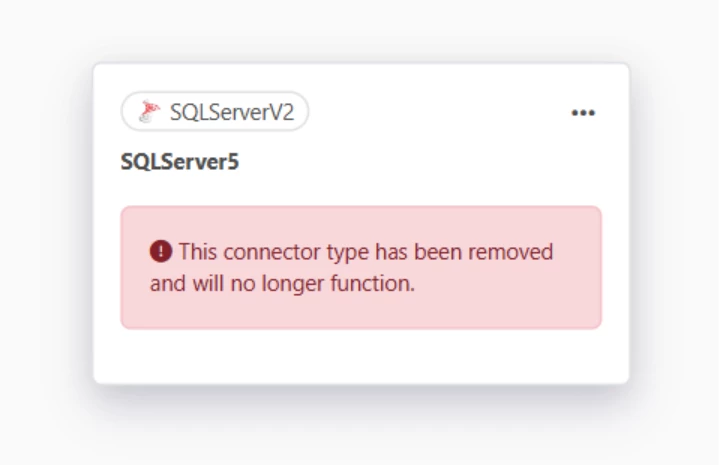
At which time, the connector would still function, but display the following warning:

Support for the SQLServerV2 connector was removed in the 2024 release of CData Arc.
https://cdn.cdata.com/help/AZM/mft/2024-04.html#removed
Is it possible to upgrade the connector?
There is not an upgrade wizard that can convert the SQLServerV2 connector to one that is supported in the current release, as the driver that is used for communications with SQL Server is different (current releases use the System.Data.CData.SQL driver), and in addition to differences in how the drivers handle communication internally, there are different connection strings for the two drivers.
With that said, it may be possible to manually upgrade the connector by first converting the version of the connector in the connector configuration and by creating a new connection to the database that uses the new SQL Server connection type.
Possible solution: To attempt this, first locate the path for the SQLServer Connector V2 connector on disk for the deprecated connector and locate the port.cfg for this connector inside of the application directory (check the help documentation for your version of CData Arc to locate the path of your application directory if you are not sure).
Every connector will have a port.cfg file resource located in it and the settings of the connector are in ini format like this:
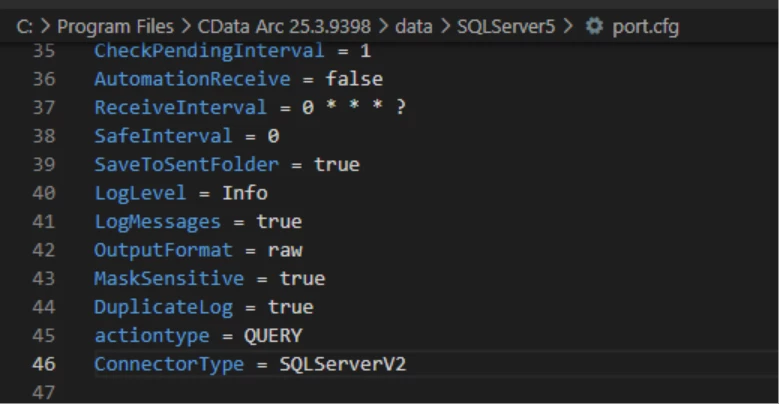
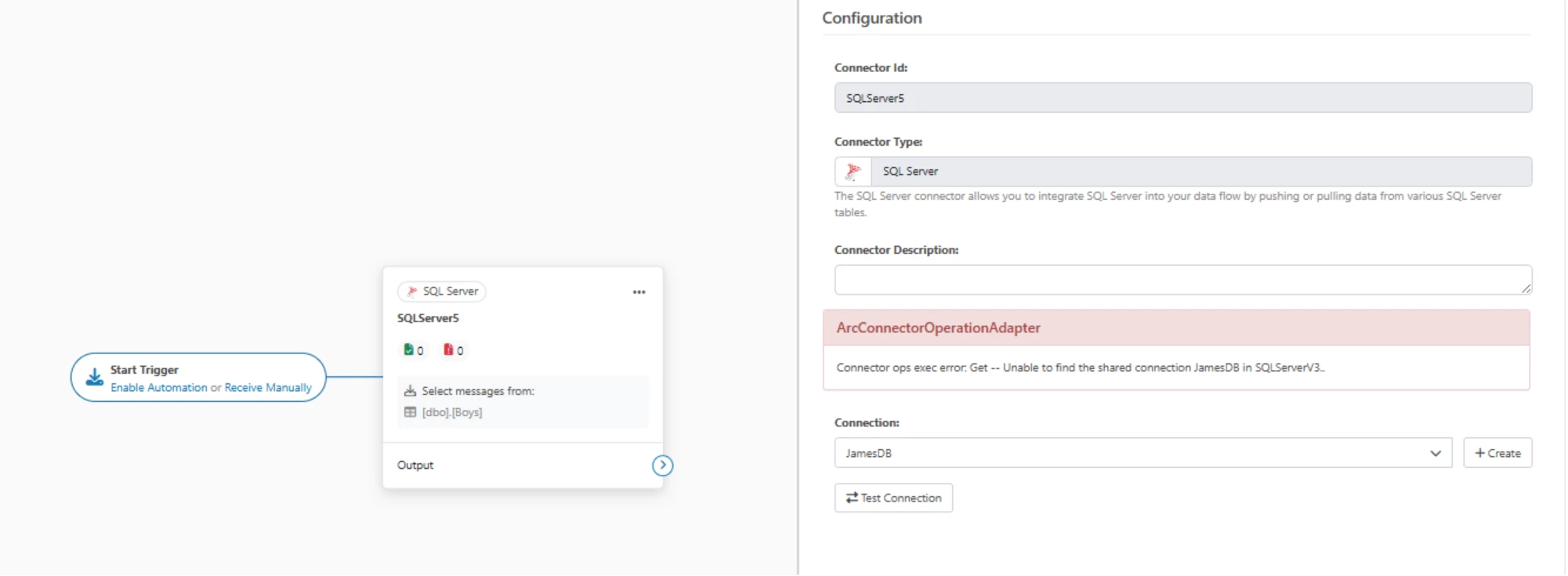
Changing the value of the ConnectorType from SQLServerV2 to SQLServerV3 will allow you to see the settings of the connector in the administration console, but you will encounter a new error because the named connection referenced in that connector is of a different type:
You can recreate the connection to SQL Server database for the V3 connector version with the +Create button:
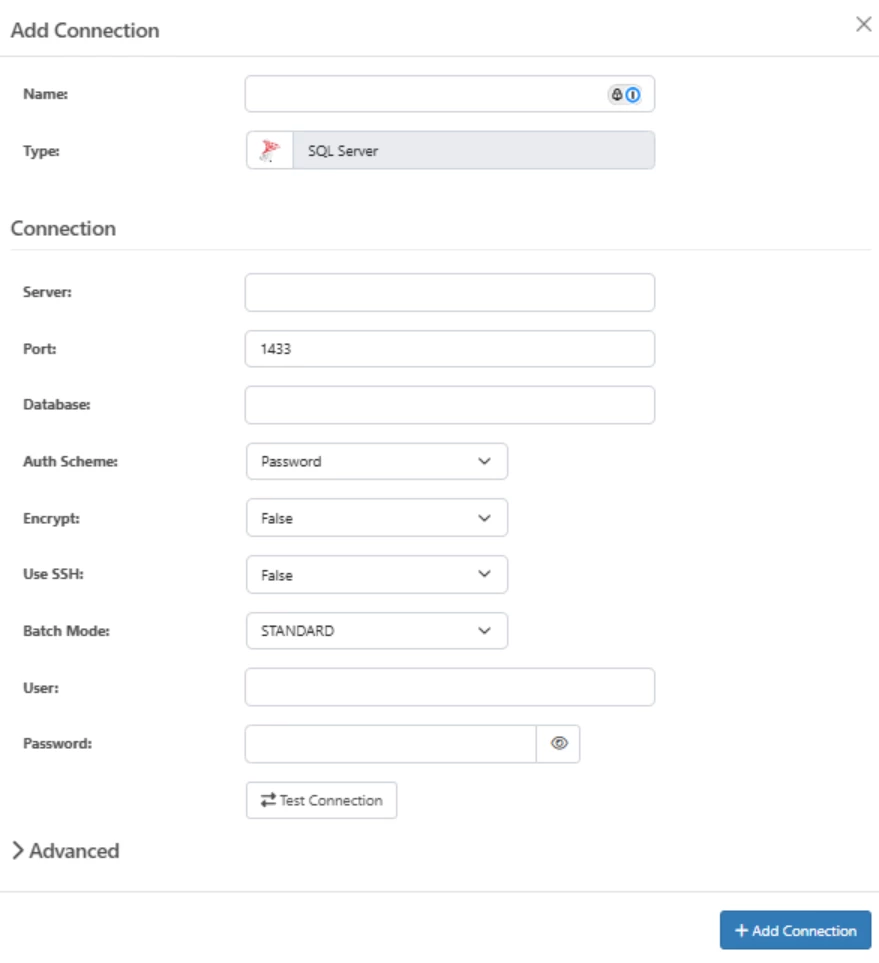
Once you create that connection, save your changes and refresh the page - you should see your previous mappings:
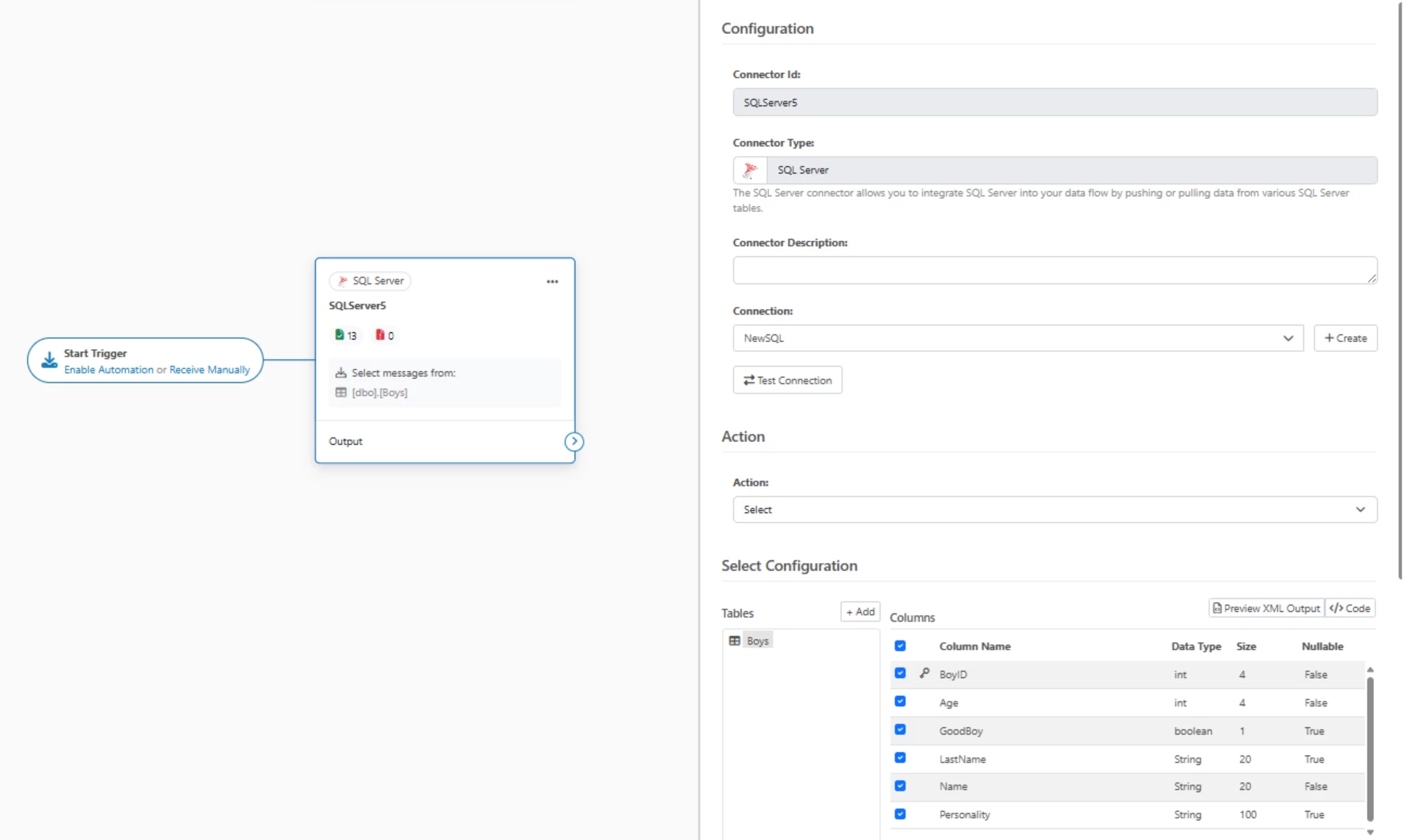
This is not guaranteed to work but this process has been shown to succeed for many mappings that were created in previous versions. Note that if you have multiple SQL Server connectors that use the same connection, you will need only recreate the connection once – every other connector will be able to select the newly created Connection name from the dropdown.
