
This error is encountered while working with SSIS (SQL Server Integration Services) and utilizing parametrized queries. There are a couple of common reasons why you might encounter this error:
1. You are using a parametrized query in this format:
Select * from [table] where column=?;
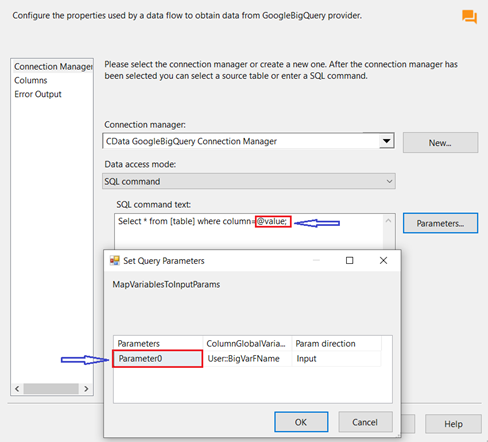
2. You are using an SQL query similar to the one below, but the parameter name in the "Parameters" window does not match the one set in the SQL query:
Select * from [table] where column=@value;
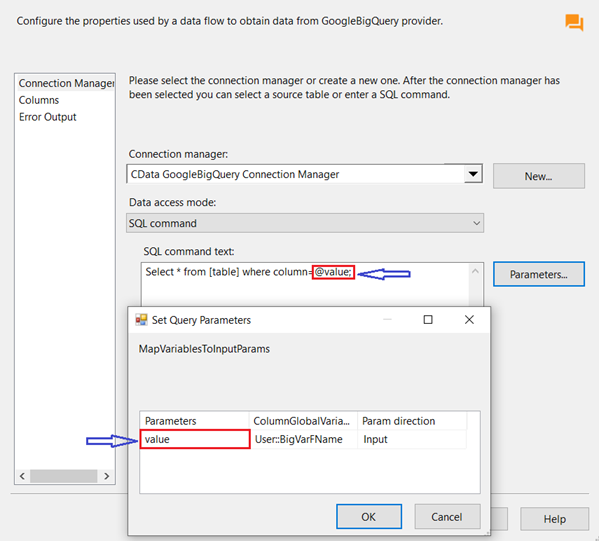
Here is an example of how your SQL query syntax should look like and how the "Parameters" window needs to be configured in order to overcome the error:
SQL Query:
Select * from [table] where column=@value;
Parameters window:
Please reach out to [email protected] if this does not resolve the problem for you.
